ctrlX Data Layer Browsing
The logiccloud Control can be used to enable easier setup of the ctrlX client mappings using edge browsing functionality. This is done by installing a device-level service that connects to the data layer and sends browsing information to the portal.
The portal can then be used to browse the data layer and select the variables to be mapped to the ctrlX client.
The browsing service can be enabled temporarily while the mappings are being set up and then removed to reduce the load on the device.
Enabling the browsing service
To enable the browsing functionality, a dedicated browsing service must be installed on the edge device.
This can be done from the logiccloud Control user interface by clicking on the pencil button next to the Device services:

A dialog will be shown where the browsing service can be enabled with a single click:
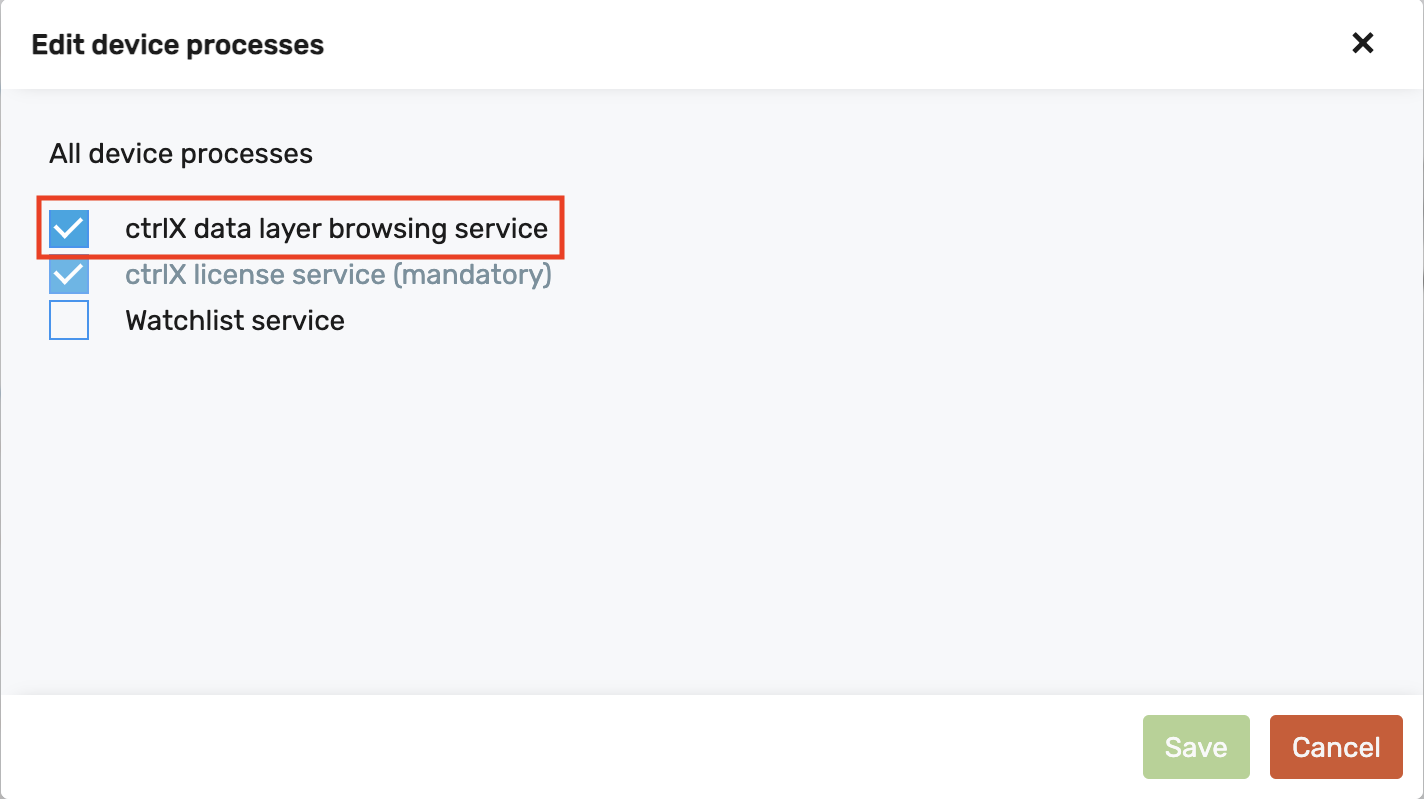
Once the changes are saved, the browsing service will be installed and started on the device. This will enable browsing functionality for this device.
Data layer browsing can be done without having an actual runtime installed on the device.
Browsing the data layer
Once the browsing service is enabled, the data layer can be browsed from the portal.
To do this, a runtime with a ctrlX connection and client configuration must be created (see Consuming variables from the data layer for details).
Once the client configuration is added, the data layer can be browsed by clicking on the "Browse" button at the top:

This will open up the browsing dialog, and the device that has the browsing service can be selected:
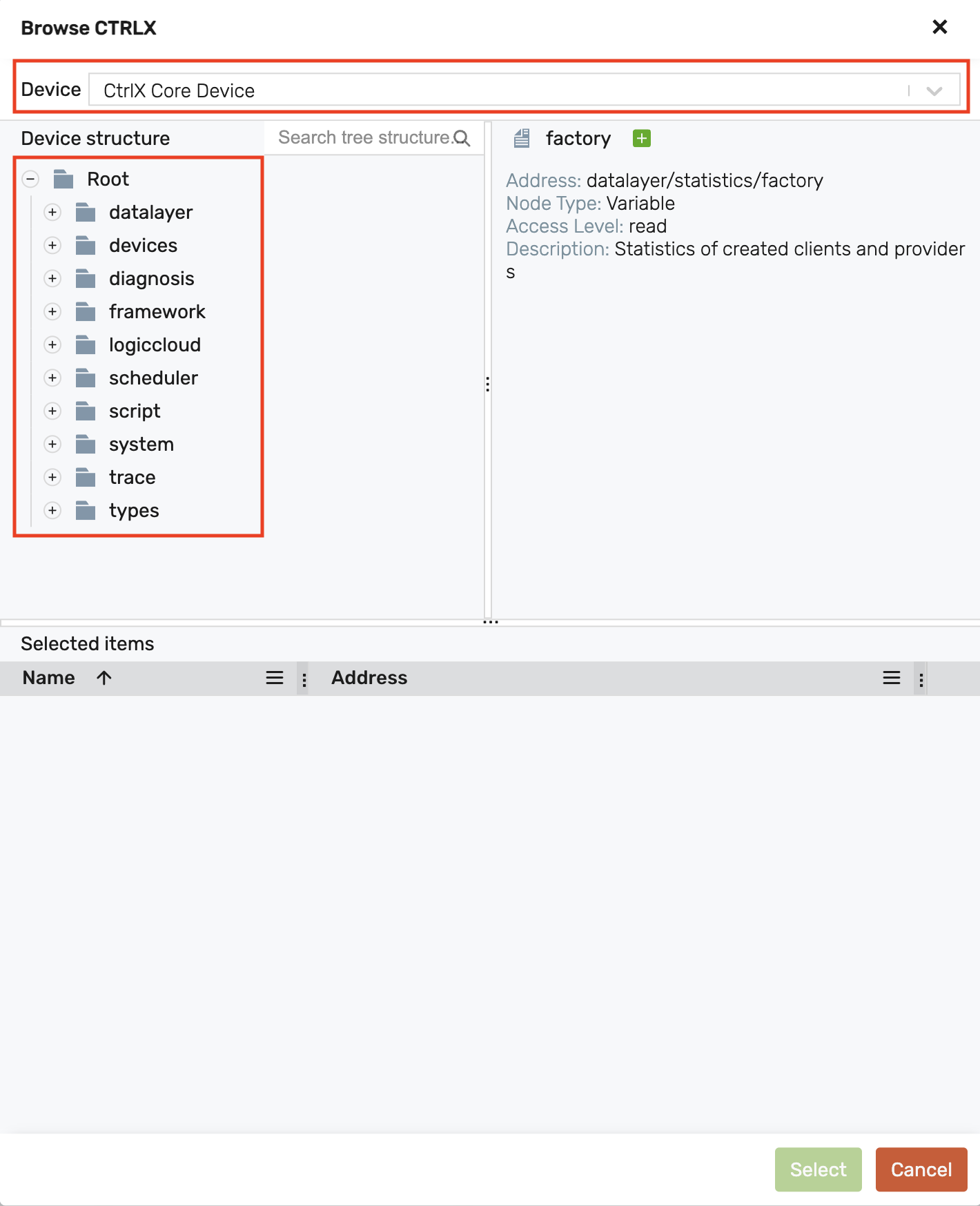
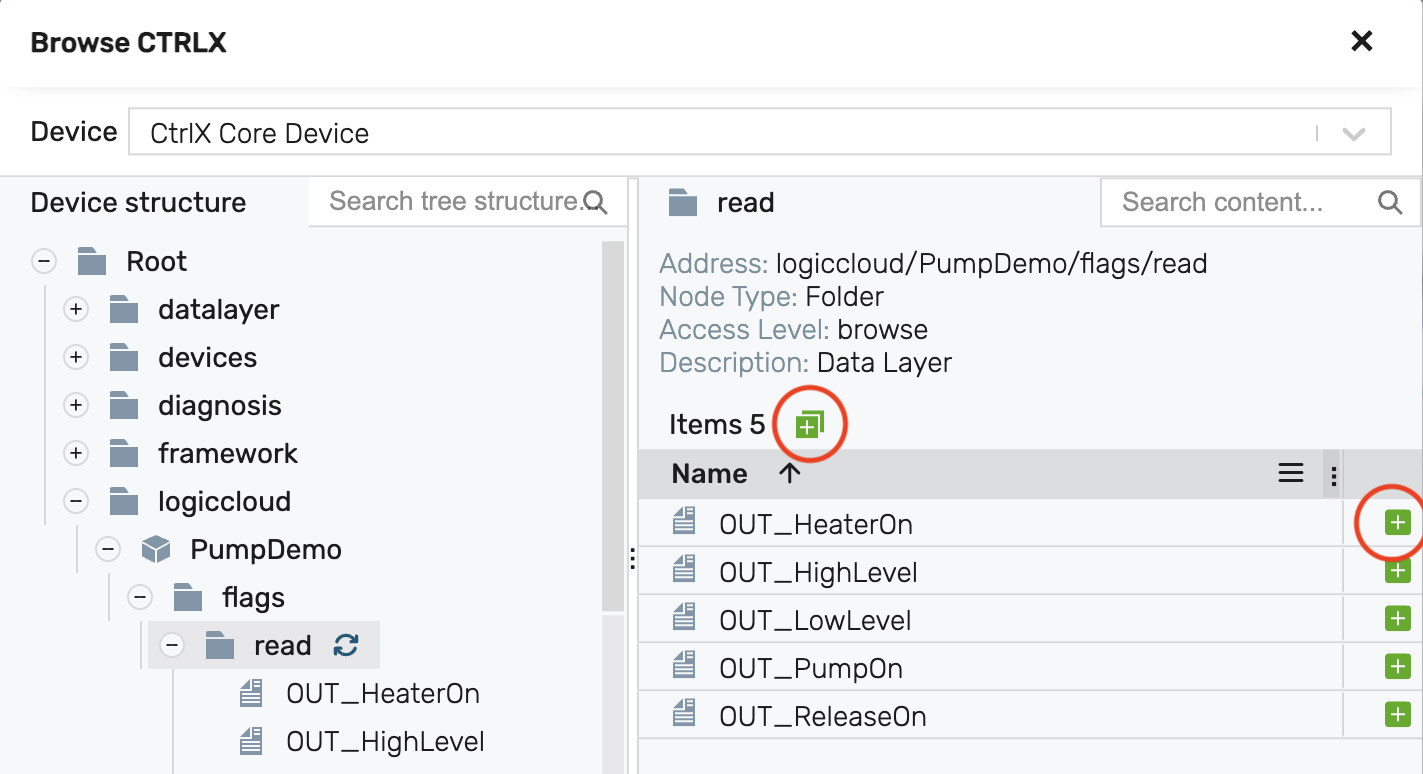
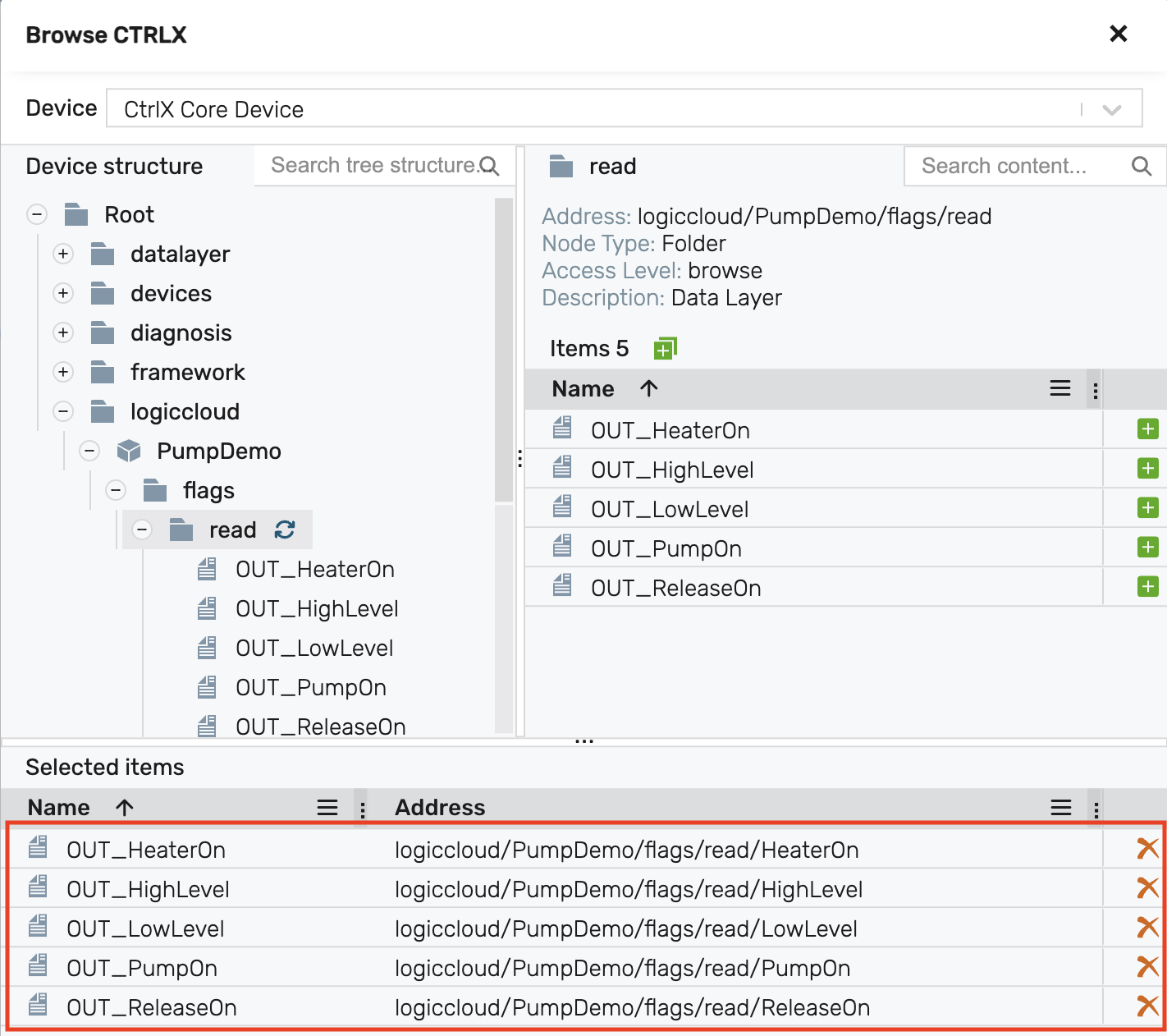
On the left side, the tree can be expanded to explore the data layer structure. Upon reaching the desired node, selecting it becomes possible with a click.
If the node contains children, a table appears, listing all the selectable variables. Selection can be done by clicking the plus button next to each variable, or by using the plus button at the top to select all variables at once:
If the node is a variable node, then a plus button will be at the top to add the node itself to the selection:
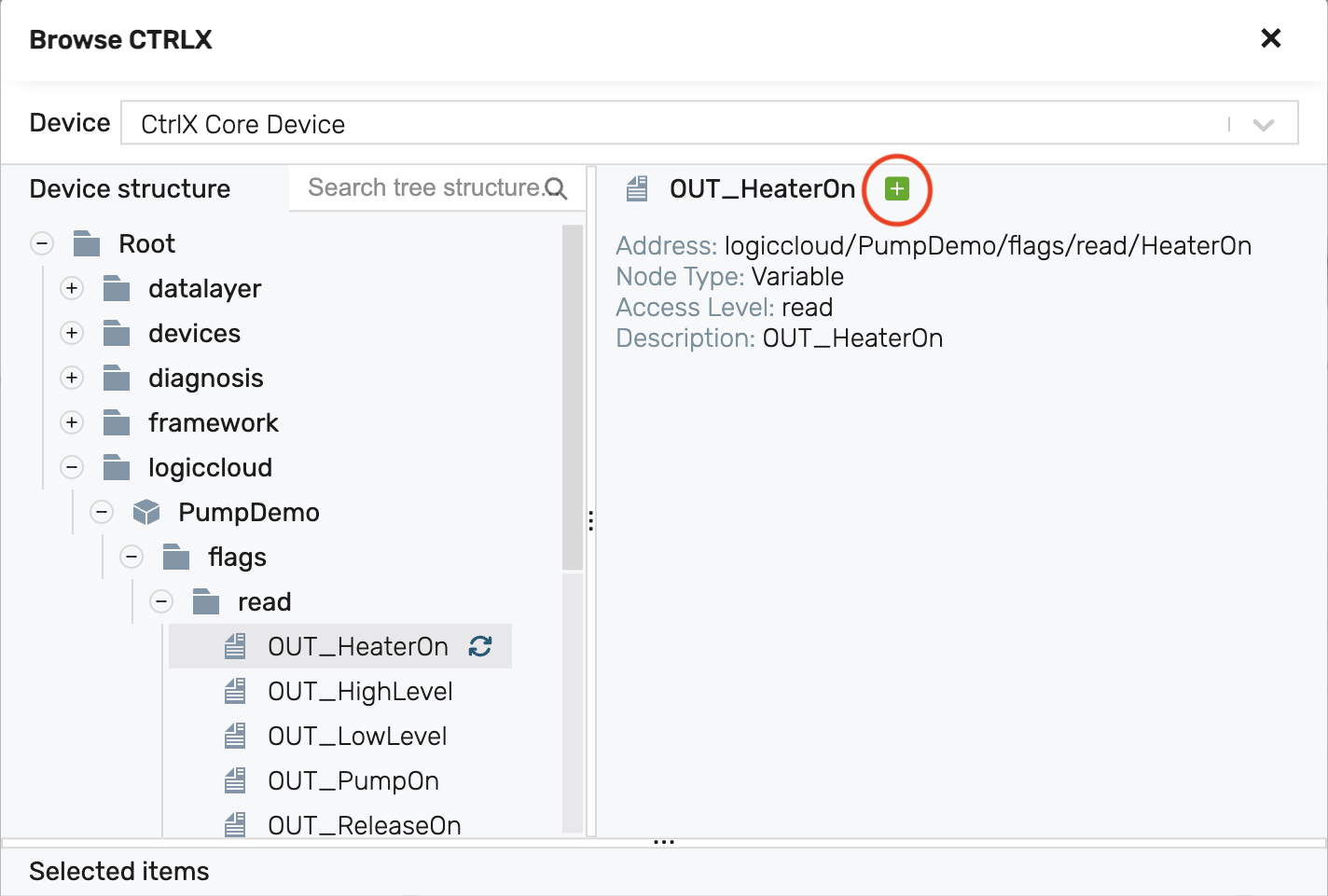
The "Selected items" table shows all selected variables, and also allows removing any variable not desired in the final selection.
Once all desired variables are added to the "Selected items", clicking on the "Select" button at the bottom will add them to the client configuration:
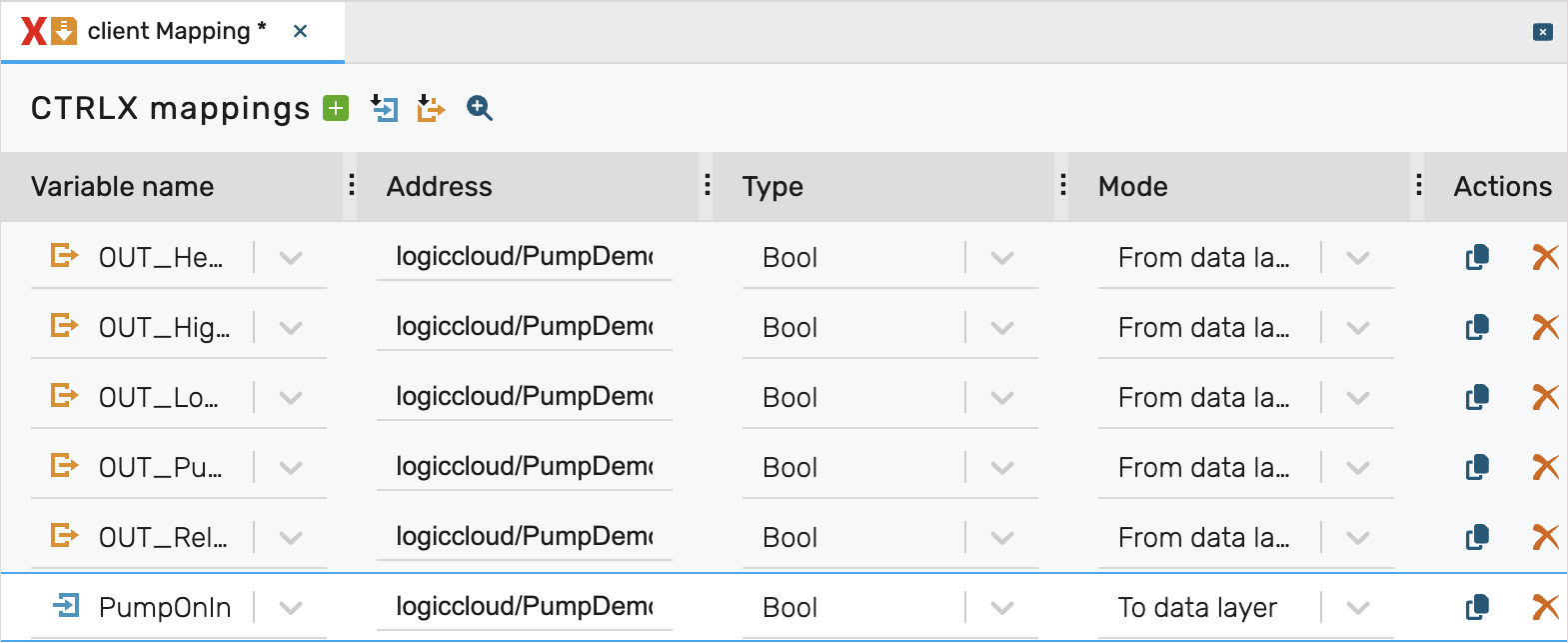
Once the selection is confirmed, the mappings will be populated with the selected items. If the selected items match existing access variables, they will be automatically mapped to them. Otherwise, the variables must be manually selected. The direction of the mapping will be automatically set as "From data layer" for read-only variables and "To data layer" for writeable variables.
Since the data layer does not provide information about the data type of the variables, the data type for each variable must be selected manually:
Disabling the browsing service
After the mappings are set up, the browsing service can be disabled to reduce the load on the device. This can be achieved from the logiccloud Control - Device services dialog by clicking on the pencil button and deselecting the browsing service. When the changes are saved, the browsing service will be stopped and removed from the device.