Remote Debugging in logiccloud
Debugging in logiccloud is performed remotely, allowing you to connect to a running instance of your project and inspect its state and interact with the I/O (access) variables. This is an option that needs to be enabled manually on the device where the project is running.
Enabling Debugging
To enable debugging for a project in logiccloud, follow these steps:
1. Access the Device Settings
Open the device list and navigate to the device where your project is running.
2. Enable the Debugging service
After a successful connection to the device, use the 'Edit Device services' button to install the optional debugging service on the device:

In the services dialog, enable the 'Debugging' service and save the changes:
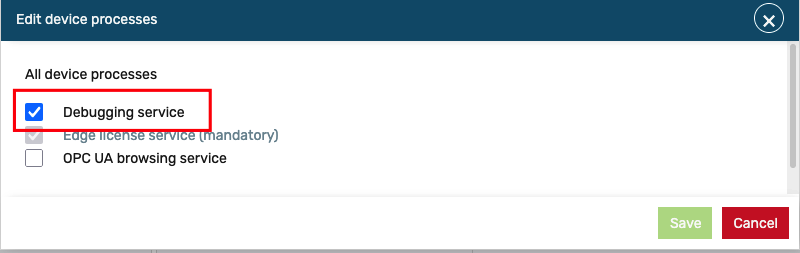
When the dialog is closed, the device will start installing the debugging service in the background. You can monitor the installation progress in the Activity monitor log. When the installation is complete, the device will be ready for remote debugging:
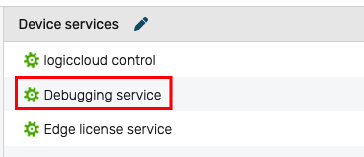
Note: The debugging service is optional and is not installed by default on devices. You need to enable it manually as described above.
Note: The debugging service requires additional resources on the device. Ensure that your device has sufficient resources to run the debugging service alongside your project. Once enabled, the debugging service will remain active on the device until it is manually disabled.
We recommend disabling the debugging service when it is not needed to free up resources on the device.